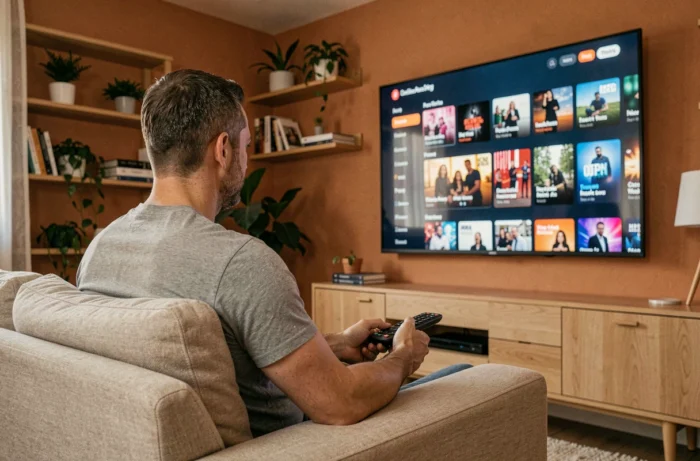
IPTV transforms a television into a streaming platform capable of receiving thousands of channels via an internet connection. Installing IPTV on a TV does not require advanced networking skills or expensive equipment, but the process varies depending on the type of television and the box used. The French legal framework has also changed recently, which alters the precautions to take even before launching the first application.
IPTV pirate sanctions in France: what the March 2024 law has changed
Most tutorials detail the technical steps without addressing the regulations. The law of March 27, 2024 has introduced a mechanism for blocking and de-referencing IPTV services broadcasting sports competitions without rights, directly inscribed in the Sports Code.
The consequences for end users are concrete. Starting in 2024, more than 200 people have been sanctioned for subscribing to pirate IPTV services, with fines ranging from a few hundred euros to nearly 1,000 euros. In 2025-2026, convictions became systematic: fines typically range between 300 and 400 euros, sometimes accompanied by a criminal record for receiving counterfeit goods.
Before any installation, checking the legality of the chosen IPTV provider is no longer just a recommendation. Legal services (Molotov, Pluto TV, official operator applications) display their legal notices and broadcasting agreements.
A provider offering hundreds of paid channels for a few euros a month without any mention of broadcasting rights presents a real legal risk. This guide for installing IPTV on TV also details the checks to be made on the hardware side before getting started.
M3U Protocol and Xtream Codes: understanding what the IPTV application requires
Once the subscription is taken out with a service, the provider transmits login credentials. Two formats dominate the market and condition the method of configuration on the television.
The M3U file is a text playlist containing the URL addresses of each video stream. The user copies the URL of this playlist into the IPTV application installed on the TV. The format is universal: any IPTV-compatible application can read an M3U file.
The Xtream Codes protocol works differently. The provider communicates three elements: a server URL, a username, and a password. The application connects directly to the server, which manages the display of channels, the program guide, and categories. This format offers smoother navigation than a simple M3U file, with automatic content classification.
The distinction matters when choosing the application. Some only support M3U (like VLC), while others handle both formats (IPTV Smarters Pro, TiviMate). Checking the compatibility between the provided format and the chosen application avoids a blockage right from the first step.
IPTV installation on Smart TV: application and configuration
On a Samsung, LG, or Android TV Smart TV, installation goes through the integrated app store. The procedure can be summarized in three phases:
- Open the TV store (Google Play Store on Android TV, LG Content Store, Samsung Apps) and search for a compatible IPTV application like IPTV Smarters Pro, Smart IPTV, or TiviMate
- Install the application, launch it, and then enter the credentials: either the M3U playlist URL or the three Xtream Codes fields (server, username, password)
- Wait for the channel list to load, which can take from a few seconds to several minutes depending on the catalog volume and connection speed
On recent Samsung TVs running Tizen, some IPTV applications do not appear in the official store. The alternative is to use the built-in browser to access a web version of the application or to connect an external box.
Case of non-connected televisions
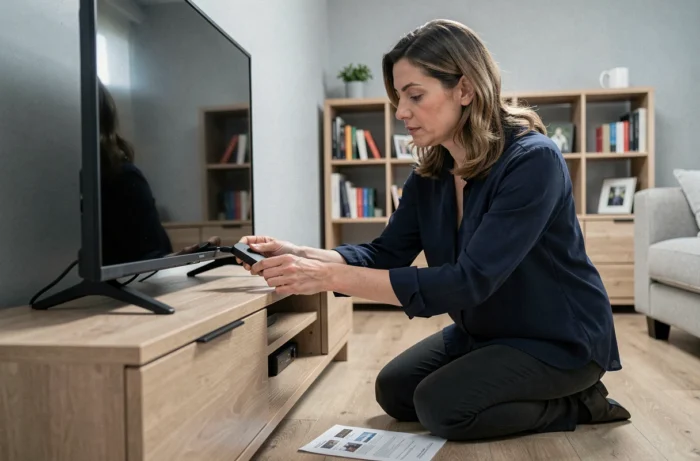
A television without smart functions requires an intermediary device. The Amazon Fire TV Stick, an Android TV box, or a Chromecast with Google TV can turn any screen equipped with an HDMI port into an IPTV-compatible platform. The box is plugged in, connected to Wi-Fi, and then the IPTV application is installed just like on a Smart TV.
Internet speed and stream quality: the concrete thresholds to know
Competing guides rarely mention specific network requirements, while the internet connection is the primary cause of interruptions and buffering. A standard definition (SD) stream consumes little bandwidth. A high definition (HD) stream requires a stable speed, and a 4K stream demands significantly more.
Wi-Fi is sufficient in most cases if the router is in the same room as the television. Once the signal has to pass through a load-bearing wall or a floor, a wired Ethernet connection becomes preferable. Some entry-level Android TV boxes do not have an Ethernet port, which limits options in case of unstable Wi-Fi.
- Test the actual speed on the TV itself (via the built-in browser or a speed test app), not on the smartphone which may pick up a different Wi-Fi signal
- Temporarily disable other bandwidth-hungry devices during viewing to isolate a speed issue
- Prefer the 5 GHz Wi-Fi band if the router offers it, as it provides a higher speed at short distances compared to the 2.4 GHz band
IPTV playback issues: video codec and container format
A black screen accompanied by sound, or sound absent despite the image, usually indicates a codec incompatibility. IPTV streams primarily use the H.264 codec, but some providers broadcast in H.265 (HEVC) to reduce the required bandwidth.
Entry-level boxes do not always decode H.265, which can cause visual artifacts or playback refusal. Checking the specifications of the hardware decoder before purchasing the box can help avoid this problem. Applications like VLC handle software decoding as a replacement, but at the cost of higher CPU load and possible stuttering on modest hardware.
Another often-overlooked technical point: the container of the stream. The same codec can be encapsulated in a TS (transport stream) or MP4 container. Some IPTV applications only read one of the two. When the stream refuses to start without a clear error message, changing the playback application often resolves the issue without having to contact the provider.
Installing IPTV on a television takes just a few minutes once the hardware and identifier format are clarified. The real filter today lies upstream: choosing a legal service and checking the technical compatibility of the hardware before entering any credentials.